Better late the never
Vulkan launched with a small set of format feature flags for images and buffers. These flags can be used to check if an image or buffer supports a given usage scenario. E.g. sampling from an image or using a buffer as the source for a transfer operation.
But as the api surface grew, so did the list of format feature flags, making it necessary to not only use a larger data type for those (64 unsigned bits instead of 32) but to also add a new way of querying those flags.
And while some of these flags are very niche, others, like VK_FORMAT_FEATURE_2_STORAGE_READ_WITHOUT_FORMAT_BIT are important and something users of the database have been wanting to see.
Adding this to both the client application and the database isn’t trivial, as adding so many new flags touches a lot of parts incl. required database changes (larger types) and a way to display new flags that doesn’t break layouts.
After a first attempt in 2024 that I wasn’t able to finish (other stuff was more important), I sat down and
New client application
Reading those flags required changes to the client application. Starting with the recently released version 4.13 of the Vulkan Hardware Capability Viewer, these flags will now be read, displayed and also uploade to the database. The new version is available for all platforms and I also released an update to Google’s Playstore to make sure it’s getting updated.
While it would be benefical to stop uploads from older version, with the last LunarG SDK and iOS (maintained by LunarG) still being on an older version, I decided not to do that yet. But I did disable uploads for versions below 4.0 and will at some point also disable uploads for all versions older than 4.13 to make sure new reports will have the new format feature flags present.
Updates to the database
Adding in information like this into a database with reports covering a full decade of GPUs and drivers isn’t an easy task, so I decided to go with a “staged” rollout.
Meaning that as of today you can check the additional format feature flags from reports (like this one):
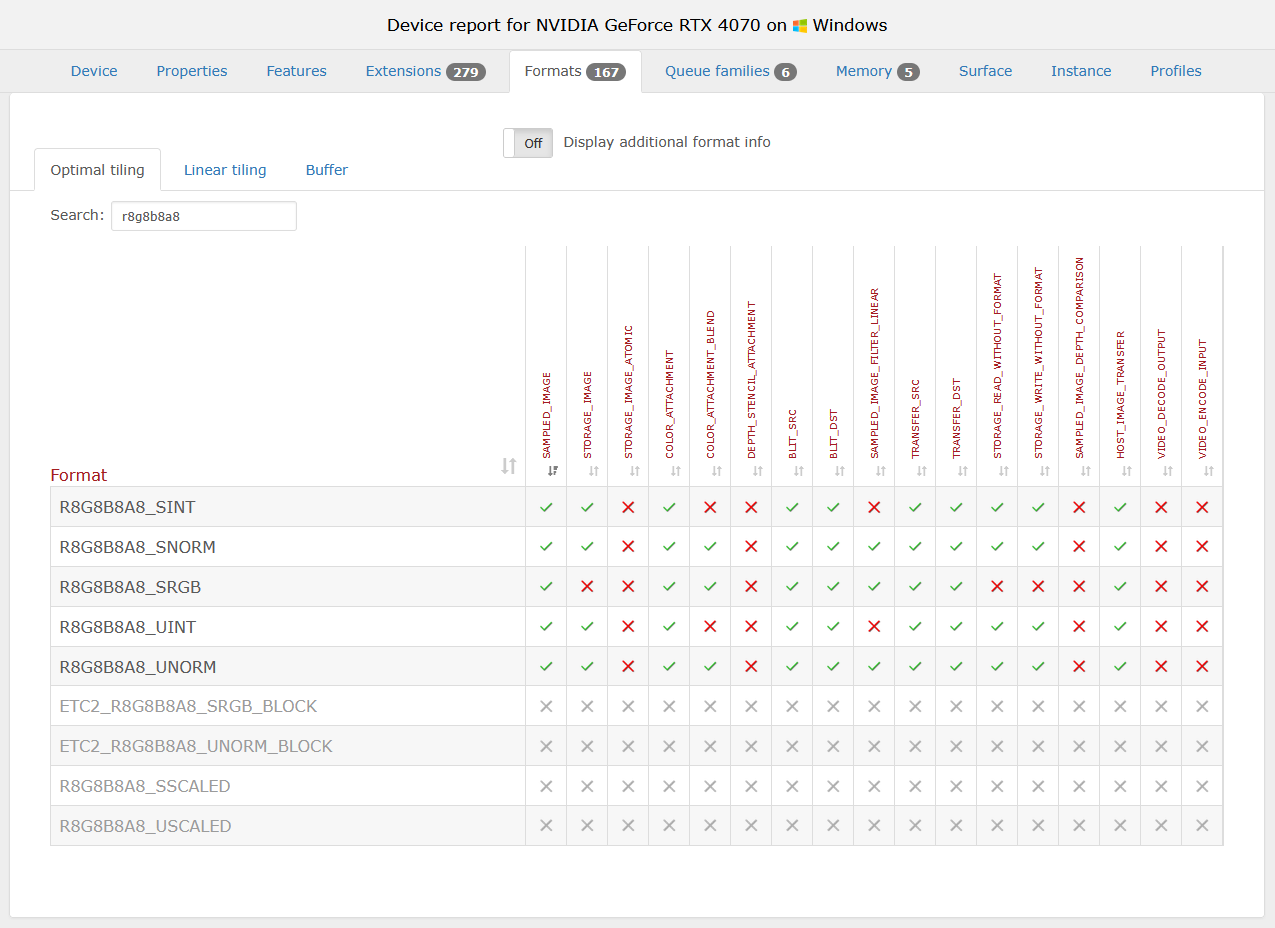
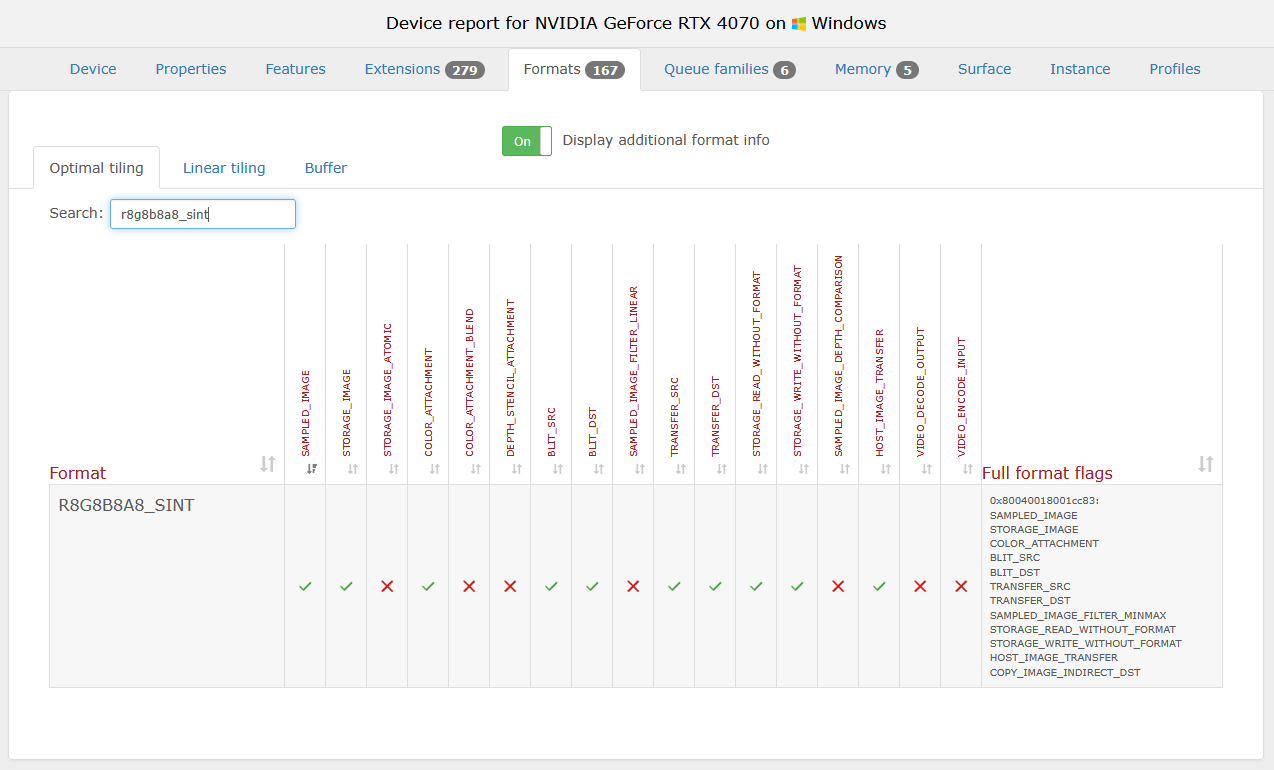
Adding columns for all feature flags would break layouts and make tables unreadable, so support columns are only displayed for common feature flags. But you can toggle a column that lists all suppored flags via a toggle button:
I also fixed an issue with the sticky table headers. They didn’t properly work and after switching to a different tab, you’d often get a wrong and strechted sticky header. This should be addressed now, making the sticky headers work as intended.
As for the global format coverage listings: Once enough reports have been submitted for device coverage to catch up, I’ll also update these. Doing that now would’t make much sense and might mislead people with wrong (or at least too low) coverage numbers.